
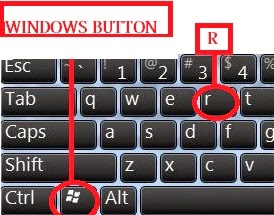
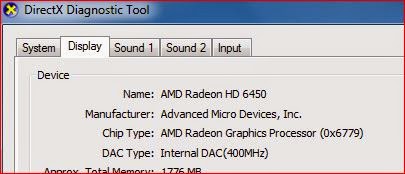
Follow my image instruction:


if you have facing any problems then watch this videos

The number one reason why Windows crashes is hardware conflict. Each hardware device communicates to other devices through an interrupt request channel (IRQ). These are supposed to be unique for each device.2 Bad Ram
For example, a printer usually connects internally on IRQ 7. The keyboard usually uses IRQ 1 and the floppy disk drive IRQ 6. Each device will try to hog a single IRQ for itself.
If there are a lot of devices, or if they are not installed properly, two of them may end up sharing the same IRQ number. When the user tries to use both devices at the same time, a crash can happen. The way to check if your computer has a hardware conflict is through the following route:
* Start-Settings-Control Panel-System-Device Manager.
Often if a device has a problem a yellow ! appears next to its description in the Device Manager. Highlight Computer (in the Device Manager) and press Properties to see the IRQ numbers used by your computer. If the IRQ number appears twice, two devices may be using it.
Sometimes a device might share an IRQ with something described as IRQ holder for PCI steering. This can be ignored. The best way to fix this problem is to remove the problem device and reinstall it.
Sometimes you may have to find more recent drivers on the internet to make the device function properly. A good resource is www.driverguide.com. If the device is a soundcard, or a modem, it can often be fixed by moving it to a different slot on the motherboard (be careful about opening your computer, as you may void the warranty).
When working inside a computer you should switch it off, unplug the mains lead and touch an unpainted metal surface to discharge any static electricity.
To be fair to Mcft, the problem with IRQ numbers is not of its making. It is a legacy problem going back to the first PC designs using the IBM 8086 chip. Initially there were only eight IRQs. Today there are 16 IRQs in a PC. It is easy to run out of them. There are plans to increase the number of IRQs in future designs.
Ram (random-access memory) problems might bring on the blue screen of death with a message saying Fatal Exception Error. A fatal error indicates a serious hardware problem. Sometimes it may mean a part is damaged and will need replacing.
But a fatal error caused by Ram might be caused by a mismatch of chips. For example, mixing 70-nanosecond (70ns) Ram with 60ns Ram will usually force the computer to run all the Ram at the slower speed. This will often crash the machine if the Ram is overworked.
One way around this problem is to enter the BIOS settings and increase the wait state of the Ram. This can make it more stable. Another way to troubleshoot a suspected Ram problem is to rearrange the Ram chips on the motherboard, or take some of them out. Then try to repeat the circumstances that caused the crash. When handling Ram try not to touch the gold connections, as they can be easily damaged.
Parity error messages also refer to Ram. Modern Ram chips are either parity (ECC) or non parity (non-ECC). It is best not to mix the two types, as this can be a cause of trouble.
EMM386 error messages refer to memory problems but may not be connected to bad Ram. This may be due to free memory problems often linked to old Dos-based programmes.
Every motherboard is supplied with a range of chipset settings that are decided in the factory. A common way to access these settings is to press the F2 or delete button during the first few seconds of a boot-up.
Once inside the BIOS, great care should be taken. It is a good idea to write down on a piece of paper all the settings that appear on the screen. That way, if you change something and the computer becomes more unstable, you will know what settings to revert to.
A common BIOS error concerns the CAS latency. This refers to the Ram. Older EDO (extended data out) Ram has a CAS latency of 3. Newer SDRam has a CAS latency of 2. Setting the wrong figure can cause the Ram to lock up and freeze the computers display.
Mcft Windows is better at allocating IRQ numbers than any BIOS. If possible set the IRQ numbers to Auto in the BIOS. This will allow Windows to allocate the IRQ numbers (make sure the BIOS setting for Plug and Play OS is switched to yes to allow Windows to do this.).
After a few weeks, the information on a hard disk drive starts to become piecemeal or fragmented. It is a good idea to defragment the hard disk every week or so, to prevent the disk from causing a screen freeze. Go to
* Start-Programs-Accessories-System Tools-Disk Defragmenter
This will start the procedure. You will be unable to write data to the hard drive (to save it) while the disk is defragmenting, so it is a good idea to schedule the procedure for a period of inactivity using the Task Scheduler.
The Task Scheduler should be one of the small icons on the bottom right of the Windows opening page (the desktop).
Some lockups and screen freezes caused by hard disk problems can be solved by reducing the read-ahead optimisation. This can be adjusted by going to
* Start-Settings-Control Panel-System Icon-Performance-File System-Hard Disk.
Hard disks will slow down and crash if they are too full. Do some housekeeping on your hard drive every few months and free some space on it. Open the Windows folder on the C drive and find the Temporary Internet Files folder. Deleting the contents (not the folder) can free a lot of space.
Empty the Recycle Bin every week to free more space. Hard disk drives should be scanned every week for errors or bad sectors. Go to
* Start-Programs-Accessories-System Tools-ScanDisk
Otherwise assign the Task Scheduler to perform this operation at night when the computer is not in use.
Fatal OE exception errors and VXD errors are often caused by video card problems.6 Viruses
These can often be resolved easily by reducing the resolution of the video display. Go to
* Start-Settings-Control Panel-Display-Settings
Here you should slide the screen area bar to the left. Take a look at the colour settings on the left of that window. For most desktops, high colour 16-bit depth is adequate.
If the screen freezes or you experience system lockups it might be due to the video card. Make sure it does not have a hardware conflict. Go to
* Start-Settings-Control Panel-System-Device Manager
Here, select the + beside Display Adapter. A line of text describing your video card should appear. Select it (make it blue) and press properties. Then select Resources and select each line in the window. Look for a message that says No Conflicts.
If you have video card hardware conflict, you will see it here. Be careful at this point and make a note of everything you do in case you make things worse.
The way to resolve a hardware conflict is to uncheck the Use Automatic Settings box and hit the Change Settings button. You are searching for a setting that will display a No Conflicts message.
Another useful way to resolve video problems is to go to
* Start-Settings-Control Panel-System-Performance-Graphics
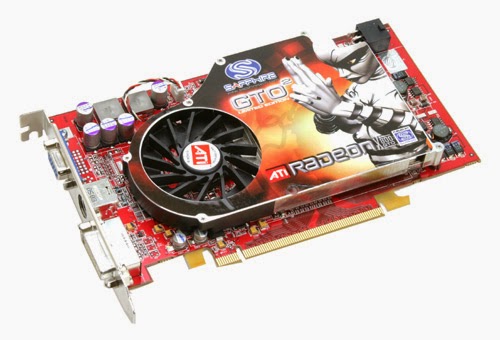
Here you should move the Hardware Acceleration slider to the left. As ever, the most common cause of problems relating to graphics cards is old or faulty drivers (a driver is a small piece of software used by a computer to communicate with a device).
Look up your video cards manufacturer on the internet and search for the most recent drivers for it.
Often the first sign of a virus infection is instability. Some viruses erase the boot sector of a hard drive, making it impossible to start. This is why it is a good idea to create a Windows start-up disk. Go to
* Start-Settings-Control Panel-Add/Remove Programs
Here, look for the Start Up Disk tab. Virus protection requires constant vigilance.
A virus scanner requires a list of virus signatures in order to be able to identify viruses. These signatures are stored in a DAT file. DAT files should be updated weekly from the website of your antivirus software manufacturer.
An excellent antivirus programme is McAfee VirusScan by Network Associates ( www.nai.com). Another is Norton AntiVirus 2000, made by Symantec ( www.symantec.com).
The action of sending a document to print creates a bigger file, often called a postscript file.8 Software
Printers have only a small amount of memory, called a buffer. This can be easily overloaded. Printing a document also uses a considerable amount of CPU power. This will also slow down the computers performance.
If the printer is trying to print unusual characters, these might not be recognised, and can crash the computer. Sometimes printers will not recover from a crash because of confusion in the buffer. A good way to clear the buffer is to unplug the printer for ten seconds. Booting up from a powerless state, also called a cold boot, will restore the printers default settings and you may be able to carry on.
A common cause of computer crash is faulty or badly-installed software. Often the problem can be cured by uninstalling the software and then reinstalling it. Use Norton Uninstall or Uninstall Shield to remove an application from your system properly. This will also remove references to the programme in the System Registry and leaves the way clear for a completely fresh copy.9 Overheating
The System Registry can be corrupted by old references to obsolete software that you thought was uninstalled. Use Reg Cleaner by Jouni Vuorio to clean up the System Registry and remove obsolete entries. It works on Windows 95, Windows 98, Windows 98 SE (Second Edition), Windows Millennium Edition (ME), NT4 and Windows 2000.
Read the instructions and use it carefully so you dont do permanent damage to the Registry. If the Registry is damaged you will have to reinstall your operating system. Reg Cleaner can be obtained from www.jv16.org
Often a Windows problem can be resolved by entering Safe Mode. This can be done during start-up. When you see the message "Starting Windows" press F4. This should take you into Safe Mode.
Safe Mode loads a minimum of drivers. It allows you to find and fix problems that prevent Windows from loading properly.
Sometimes installing Windows is difficult because of unsuitable BIOS settings. If you keep getting SUWIN error messages (Windows setup) during the Windows installation, then try entering the BIOS and disabling the CPU internal cache. Try to disable the Level 2 (L2) cache if that doesnt work.
Remember to restore all the BIOS settings back to their former settings following installation.
Central processing units (CPUs) are usually equipped with fans to keep them cool. If the fan fails or if the CPU gets old it may start to overheat and generate a particular kind of error called a kernel error. This is a common problem in chips that have been overclocked to operate at higher speeds than they are supposed to.10 Power supply problems
One remedy is to get a bigger better fan and install it on top of the CPU. Specialist cooling fans/heatsinks are available from www.computernerd.com or www.coolit.com
CPU problems can often be fixed by disabling the CPU internal cache in the BIOS. This will make the machine run more slowly, but it should also be more stable.
With all the new construction going on around the country the steady supply of electricity has become disrupted. A power surge or spike can crash a computer as easily as a power cut.
If this has become a nuisance for you then consider buying a uninterrupted power supply (UPS). This will give you a clean power supply when there is electricity, and it will give you a few minutes to perform a controlled shutdown in case of a power cut.
It is a good investment if your data are critical, because a power cut will cause any unsaved data to be lost.
![Reblog this post [with Zemanta]](https://lh3.googleusercontent.com/blogger_img_proxy/AEn0k_t-c7EYuSXUOadGEebNhVOqjQ3RUjU81ey--SEywH6fvpO6ckTjBITKnRRL2BIXGx6ou_1JUHaR3UdEP-7vXbxNE11i2gUrznn67EDraO36YM-_tHmqiJKlJiftfE4PUNltP4ApN3E_or3KD_Ht3ivW=s0-d)



![Reblog this post [with Zemanta]](https://lh3.googleusercontent.com/blogger_img_proxy/AEn0k_twTE10HggWViwTil1M7_NwppQ6WuDMUR7Rn__WKN-GWRo6TGk2NhyESzWJ6Q3GDT5OhgL3E2aLk_CZIi2h5nUyi8ZnloRx480FBr6KP-sC5jji2xXqGFMrkgrGp52paUyDW8ukbWTuFFG8FKBsmrVL=s0-d)
Reviews:
A new era of performance and manageability ThinkCentre M Series continues to expand cost- and management-control capabilities providing enterprise users and IT managers with smarter ways to be more.
Read more »Evaluations:
Manufacturer: Lenovo Group Limited. Each. Take your business computing performance to a high level, while benefiting from the enduring Lenovo virtues of stability and reliability. The energy efficient, cool running ThinkCentre M82 also helps the office environment, allowing you to get the most from your team. Type: Personal computer Form Factor: Small form factor Localization: English Processor: 1 x Intel Core i5 (3rd Gen) 3570 / 3.4 GHz ( 3.8 GHz ) ( Quad-Core ) Processor Socket: LGA1155 Socket Processor Main Features: Intel Virtualization Technology, Intel Turbo Boost Technology 2 Cache Memory: 6MB Cache Per Processor: 6MB RAM: 4GB (installed) / 32GB (max) - DDR3 SDRAM - 1600 MHz - PC3-12800 Storage Controller: SATA ( SATA-600 / eSATA ) Hard Drive: 1 x 1TB - SATA-300 Optical Storage: DVD-Writer Monitor: None. Graphics Controller: Intel HD Graphics 2500 Audio Output: Integrated - stereo Networking: Gigabit LAN Power: AC 120/230 V ( 50/60 Hz ) OS Provided: Microsoft Windows 7 Professional 64-bit Edition / Windows 8 Pro 64-bit Edition - pre-installed: Windows 7 Microsoft Office Preloaded: Includes a pre-loaded image of select Microsoft Office 2010 suites. Purchase an Office 2010 Product Key Card or disc to activate preloaded software on this PC. Dimensions (WxDxH): 13.3 in x 15.2 in x 3.9 in Weight: 16.5 lbs Manufacturer Selling Program: TopSeller Manufacturer Warranty: 3 years warranty Customers also search for: Discount ThinkCentre M82 3306 - Core I5 3570 3.4 GHz, Buy ThinkCentre M82 3306 - Core I5 3570 3.4 GHz, Wholesale ThinkCentre M82 3306 - Core I5 3570 3.4 GHz, 3306G3U, Desktop Computers
Read more »Comparisons:
1 1 x 500GB 10.7" 110 V AC 12.00 lb 14.8" 2 220 V AC 270s 3 3MB 3 Year 3.30 GHz 3.9" 300 W 4GB 469-1964 5 5 GT/s 500GB 6 64-bit 7200 8 8GB Setup is a breeze, no IT manager required. Get your systems up and running quickly so you can get to work without losing valuable time. With the Dell™ Vostro™ 270s, you're ready to go, right out of the box. Dell ProSupport and security features can offer peace of mind. Your busy office requires optimal performance. With Dell ProSupport™, your virtual IT staff is standing by to help when you need it. And you can rest easy knowing that your data and your systems are protected with the help of both software and hardware security. Microsoft Office Starter 2010 Trend Micro Internet Security, 15-months B75 Express Core i3 DDR3 SDRAM DDR3-1600/PC3-12800 DVD-Writer DVD R/ RW Dell Dell, Inc Desktop Computer Dual-core (2 Core) Genuine Windows 7 Professional Genuine Windows 7 Professional with SP1 Gigabit Ethernet HD 2500 Intel Serial ATA Serial ATA/300 Shared Small Form Factor Vostro Vostro 270s Vostro 270s Desktop Computer Yes i3-3220 www. dell.com
Read more »Rankings:
Dell Computer 469-4050 Lat 10.1in 64GB W8p 32bit Syst
Read more »Rankings:
1 1 x 500GB 12 14.2" 16.4" 2 20.68 lb 275 W 3 Year 3.30 GHz 32GB 4 4GB 469-3917 5 GT/s 500GB 6MB 6.9" 64-bit 7200 8 9010 Take control of your desktop. Revitalize your workforce with the Dell™ OptiPlex™ 9010, designed for maximum productivity, desktop virtualization and outstanding IT control. Japan Energy Law South Korea E-standby South Korea Eco-Label CECP China RoHS Core i5 DDR3 SDRAM DDR3-1600/PC3-12800 DVD-Writer DVD R/ RW Dell Dell, Inc Desktop Computer EPEAT Gold EU RoHS Energy Star 5.2 Genuine Windows 7 Professional Gigabit Ethernet HD 2500 Intel Mini-tower No OptiPlex OptiPlex 9010 OptiPlex 9010 Desktop Computer Q77 Express Quad-core (4 Core) Serial ATA Shared WEEE Yes i5-3550 www. dell.com
Read more »Comparisons:
1.2" 2.65 lb 3 Year 4.6" 7.1" NEC Display Solutions: With SB-02AM Adapter: P Series V422 V462 V551 V651 X463UN X551UN Without SB-02AM Adapter: X461S X551S Projectors: PX Series PH Series Operating System: Windows 7 Embedded CPU: 1.8 GHz Intel Dual-Core Atom (D525) GPU: Nvidia GT218A RAM: 2GB DDR3 Memory Hard Drive: 250GB HDD Video Output: Internal DVI, External DisplayPort Audio Output: Internal Stereo, External DisplayPort Network Connections: Gigabit Ethernet Control I/O: 4 x USB 2.0 Video Format Support: 1080p video playback, MPEG/2, H.264, WM9 Power: 16VDC Input Voltage, Power Dissipation (35W) Operating Temperature: 32 - 104 F / 0 - 40 C Operating Humidity: 80% maximum relative humidity, non-condensing Certifications: CE FCC Section 15 Enjoy seamless integration with these internal Intel ATOM-based PCs with Nvidia ION2 chipsets that adhere to the Open Pluggable Specification (OPS) and increase the operational flexibility of a compatible NEC display for any digital signage application. LCD Display Module NEC Display NEC Display Solutions OPS-PCIA-WH OPS-PCIA-WH Single Board Computer Single Board Computer Stainless Steel www. necdisplay.com
Read more »Reviews:
Streamlined, elegant and featuring a tiltable Full HD multi-touch display, this all-in-one computer is simple to use, fits anywhere, and looks great on your desk or a wall. Inside, the system is optimized for hands-on touch control, and all your tasks go swiftly thanks to premium 3rd genearation Intel Core processing. Multitask with multi-touch using the Aspire Z Series-Features-It fits - The subtle elegance of the Aspire Z Series makes it the focal point of any room. The slim all-in-one design saves space and features an optimized tilt - from 0 to 20 degrees - for convenient touch control and comfortable entertainment. With its VESA mounting kit, you can also place this all-in-one on the wall-Touch - Highly efficient digital exploration and a whole lot of fun are yours to discover on the Aspire Z Series' 10-point touch display - or use the wireless keyboard and mouse. With AcerCloud, the photos, videos, music and documents on your PC are shared with all your devices and are available wherever you go, whenever-Simply fun - Surf the net, update your social networks, play games, chat via HD webcam, watch movies using the optical drive, catch your favorite digital TV shows - even complete tasks! The Full HD visuals are stunning on the up to 23" screen, and the sound is excellent with Dolby Home Theater v4.1 Show content from other devices via HDMI-Specifications-Windows 8 - 64-bit version - 3.3GHz Intel Core i3-3220 Processor (3MB total cache) - 4GB DDR3 SDRAM - 1TB 5400RPM hard drive - 23" Full HD edge-to-edge LED-backlit touchscreen (1920 x 1080) - 10-point multi-touch intuitive control - Intel HD Graphics 2500 - Intel H61 Express chipset - 8X DVD RW DL - Dolby Home Theater audio - webcam - built-in stereo speakers - 802.11a/b/g/n wireless - Gigabit LAN - Bluetooth 4.0 - HDMI - 2 USB 3.0, 4 USB 2.0 - wireless keyboard and mouse - 6-in-1 card reader - 17.1 x 22.2 x 2.3 in. - 1-year limited warranty
Read more »Rankings:
Type: Student/Home office Usage: Consumer Processor: Intel Pentium G2030 3.0GHz Processor Main Features: 64 bit Dual Core Processor Cache Per Processor: 3MB L3 Cache Memory: 4GB DDR3 1333 Hard Drive: 1TB SATA II 7200RPM Optical Drive 1: DVD+/-RW
Read more »Comparisons:
The new Lenovo ThinkCentre M92z All-in-One (AIO) desktop simplifies your workspace management along with performance, features and reliability. Transform your business with uncompromised performance from Intel Q77 chipset, 3rd generation Intel Core processors and advanced Graphics. Change the way you manage desktops and enterprise applications using the Intel vPro ready technology. -Features-Advanced graphics-Industry-leading, Microsoft Lync-certified VoIP-TPM security chip-Remote manageability-Dual-array mic, HD camera with privacy cover-EPEAT Gold- and ENERGY STAR-certified-View Management Utility, for multitasking-ICE 2.0 cool and quiet operation-USB 3.0-Easy tool-less access-Specifications-Form Factor: All-in-One-Operating system: Windows 7 Professional 64-Processor: Intel Core i3-3220 with Intel HD Graphics 2500 (3.3 GHz, 3MB cache, 2 cores)-Standard memory: 2GB 1600 MHz DDR3 SDRAM-Internal drive: 250GB 7200 rpm SATA 6.0GB/s -Optical drive: SuperMulti DVD writer- Display: 20-inch widescreen HD+ LED-Backlit LCD (1600 x 900, 16:9, Monitor Stand) -Graphics: Intel HD Graphics 2500-Webcam: 2MP HD-Network interface: 10/100/1000; Intel 802.11b/g/n Wireless LAN + Bluetooth 4.0-Ports: 2 x USB 3.0, 4 x USB 2.0, DisplayPort in/out, RJ-45, Audio in/out-Input devices: USB Keyboard & mouse-Warranty: 3-year limited parts and labors warranty-Weight: Approx. 23.0 lbs-Dimensions (WxDxH): 19.8 x 5.6 x 17.6 in.
Read more »Scores:
Fuelled by top-notch components and technologies, the Veriton M series gives you the resources to handle challenging office tasks and oversee company assets. In addition, Acer engineering enables modular and tool-less accessibility to your machine, while energy-efficient certifications mean cost savings as well as care for the environment.
Read more »
Funcom recently announced that Age of Conan is one of the fastest selling PC games of all time. More than 400,000 gamers have entered Hyboria over the last few days, with almost half coming from the North American market. This amazing figure for a PC game shows that the positive pre-order trend has transferred into actual sales, and people from all over the world are now flocking to the most savage, sexy and brutal MMO ever created. If you havent picked up a copy yet you can grab one

Over the weekend an astounding amount of concurrent gamers were logged on to the game, making Age of Conan one of the busiest MMOs in the western hemisphere. With stock flying out of several retail chains, Funcom expects the number to increase in the days to come. In addition to the many gamers logging in, there was also substantial traffic to the Age of Conan websites, with more than 2,2 million unique visitors during the last ten days.


